
WooCommerce drawer cart plugin
Create a Better WooCommerce Cart Experience in Minutes
DrawerCart Pro adds a modern slide-in drawer cart to your WooCommerce store, with ready-made presets, flexible design controls, cart rewards, coupons, totals, and a smoother path to checkout.
- Built for WooCommerce
- No coding required
- Presets included
- Live demo available

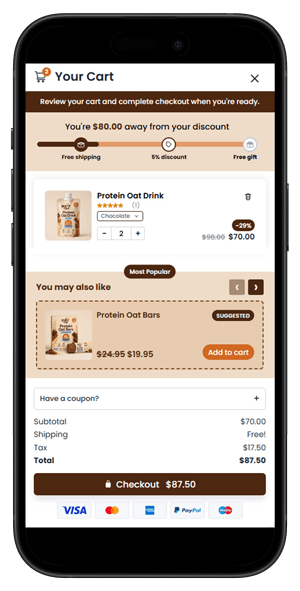
Built by a WordPress creator
Hi, I’m Mark Hendriksen, the creator behind MarkHendriksen.com and WP StoreFlow. After years of building Divi child themes, layouts, and WordPress tutorials, I created DrawerCart to give WooCommerce store owners more control over their cart’s design and shopping experience.

Founder of WP StoreFlow

From a Cart Page to a Better Shopping Experience
See how DrawerCart lets customers manage their cart, discover relevant products, and unlock rewards—all without leaving the page.
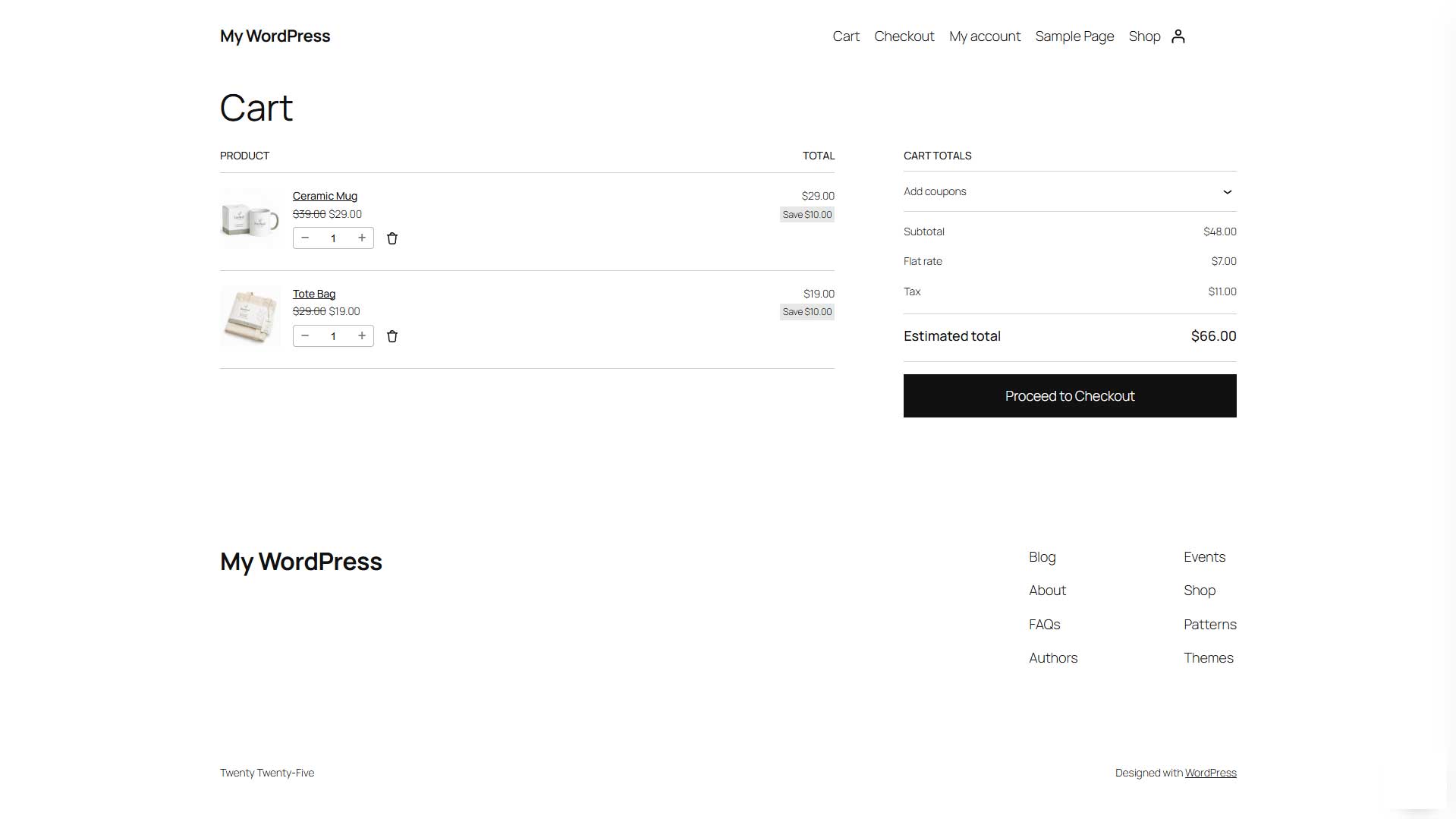
Before: Standard Cart Page
A separate step in the shopping journey. Customers open the cart page to review their products, adjust quantities, and continue to checkout.
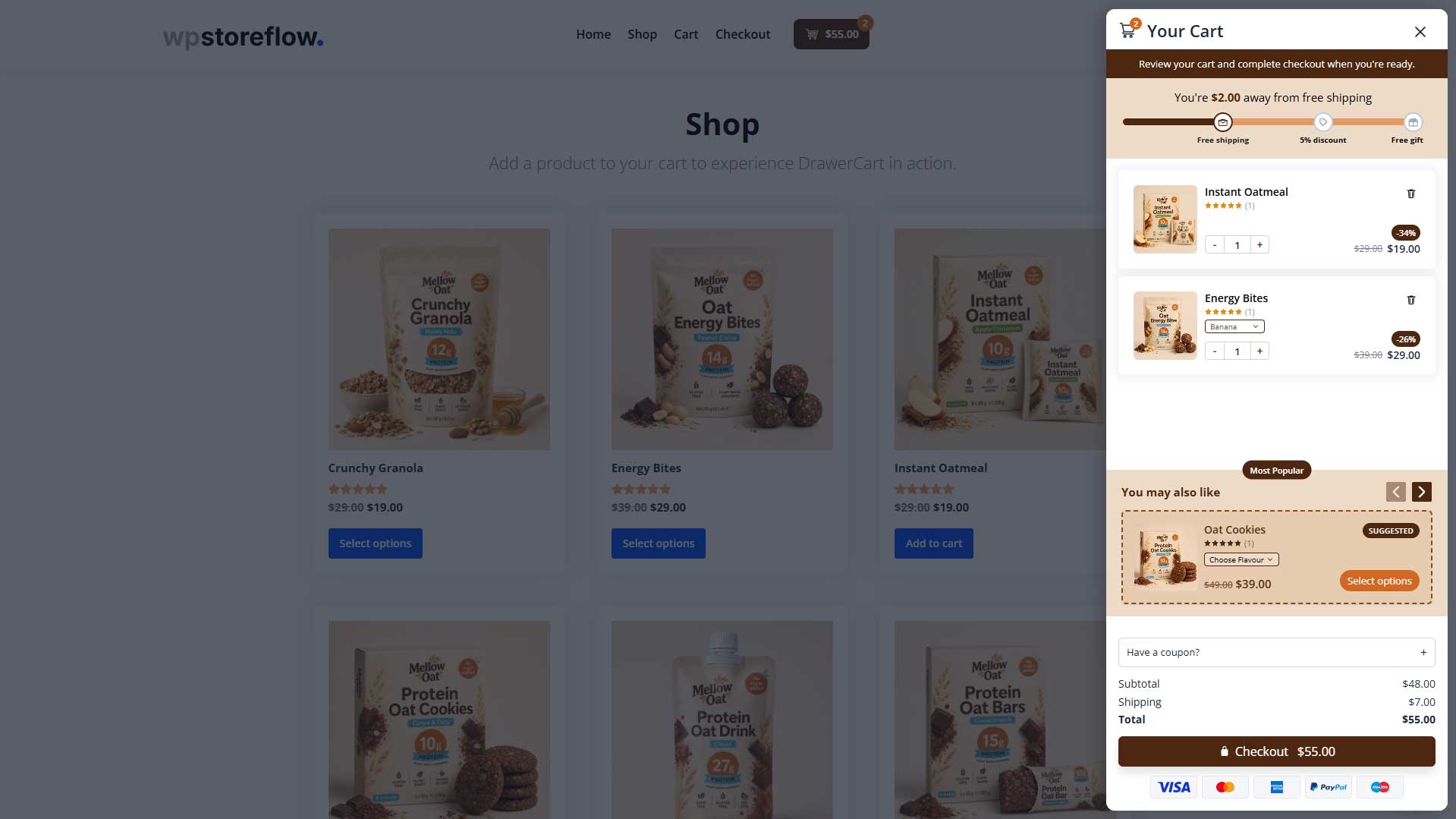
After: With DrawerCart
Customers manage their cart in a slide-out drawer, explore recommended products, and see how close they are to their next reward.
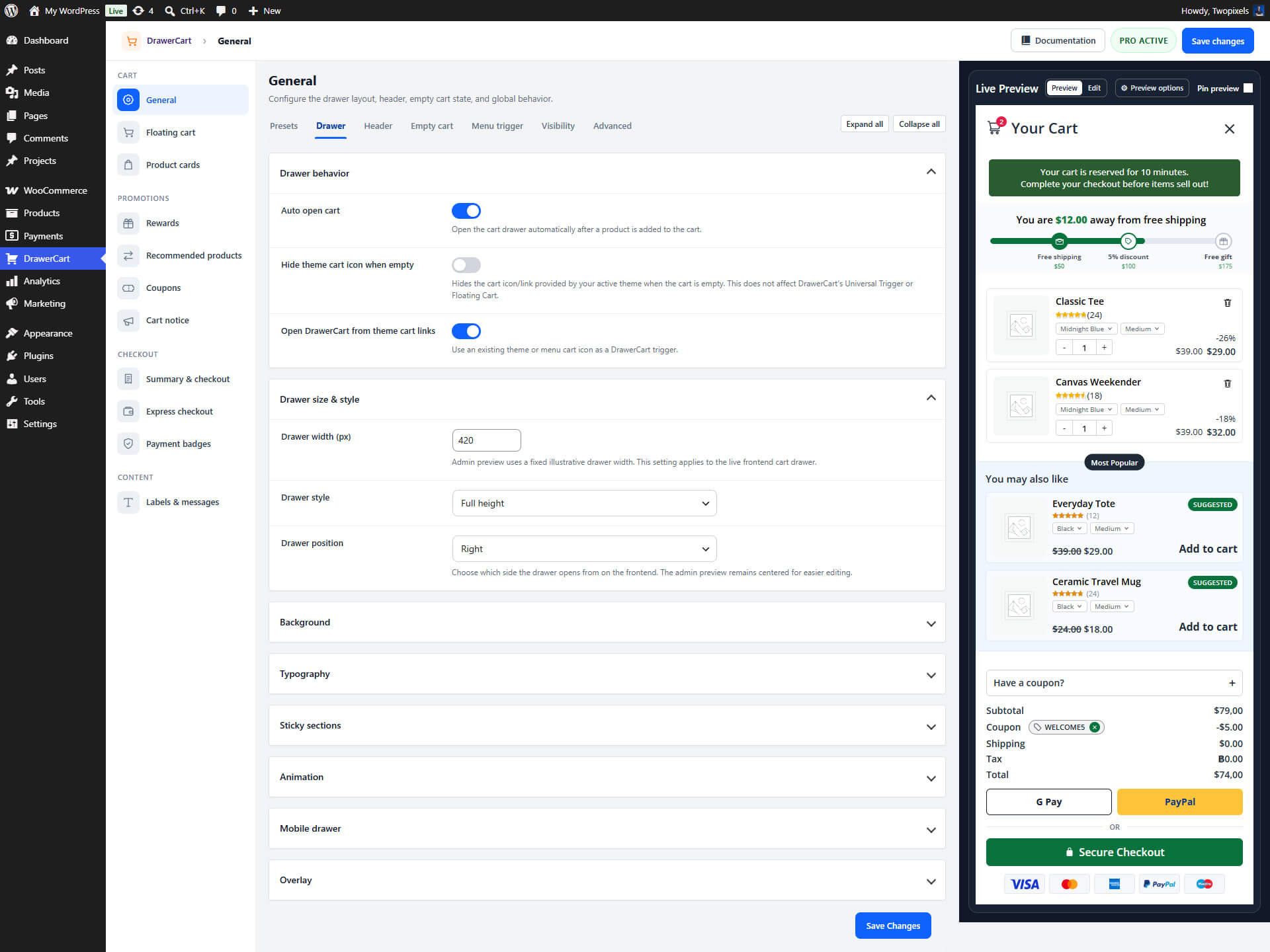
Design Control
Customize Every Detail
Adjust colors, spacing, buttons, product boxes, totals, notices, and layout settings so the cart matches your brand without custom coding.
Start With a Preset
Choose a professionally designed cart drawer preset as your starting point, so you do not have to build the layout from scratch.
Live Preview
See how your drawer cart looks while you customize it, so you can fine-tune the experience before it goes live.
Everything You Need to Create a Better WooCommerce Cart
DrawerCart Pro gives you the tools to customize the cart experience, guide customers toward checkout, and match the drawer to your store’s design.
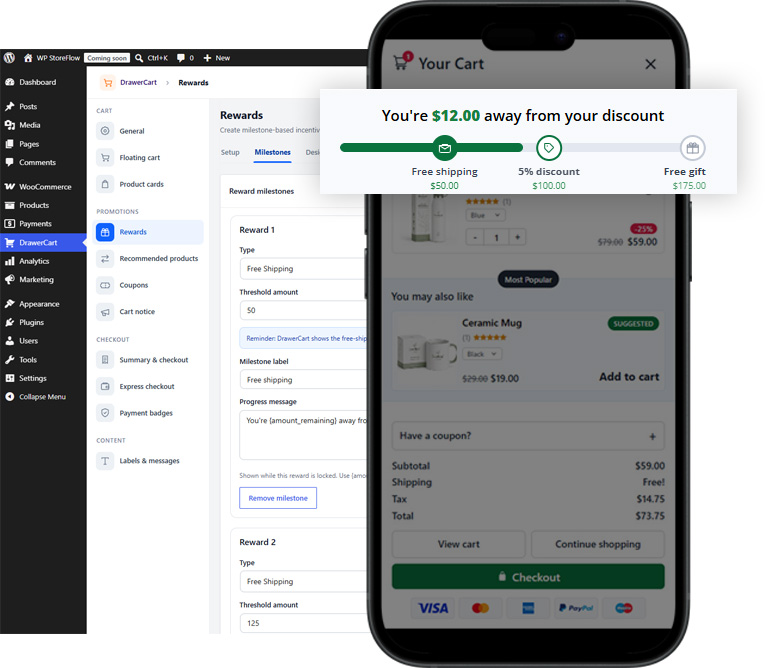
Cart Rewards
Tiered Rewards
Show progress toward free shipping, discounts, or free gifts with messages that encourage customers to add more to their cart.
Free shipping
Show customers how close they are to free shipping with a clear progress bar and dynamic reward messages.
Discount
Set a spending goal and let customers unlock a discount when their cart reaches the required amount.
Free gift
Give customers an extra reason to add more by showing when they qualify for a free gift.
See Demos
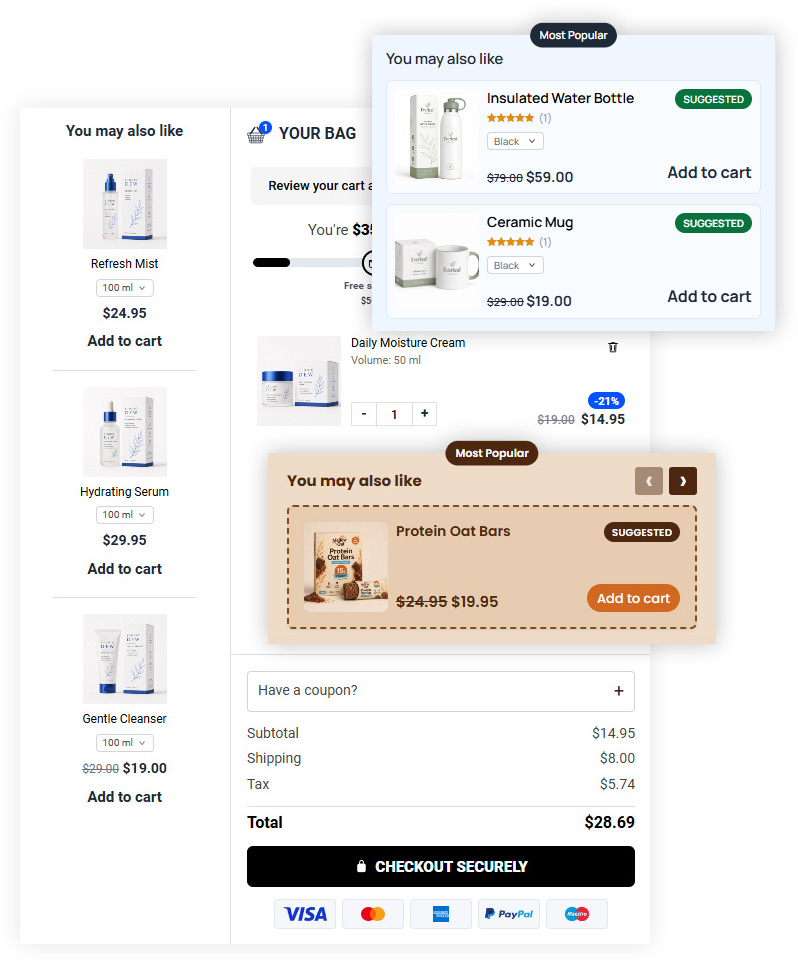
Product Upsells
Recommended Products
Display product suggestions inside the drawer to help customers discover related items before they check out.
List layout
Display recommended products directly inside the drawer with product image, title, price, and add-to-cart button.
Carousel
Add a compact product carousel inside the cart drawer so shoppers can swipe or click through recommended products.
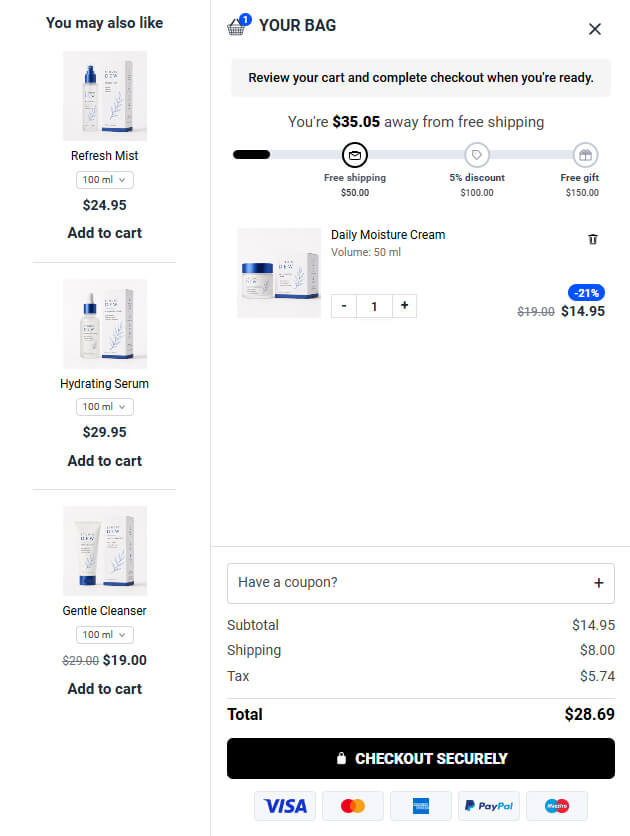
Side column
Show recommended products in a separate side column next to the cart items for a more premium, conversion-focused drawer layout.
See Demos
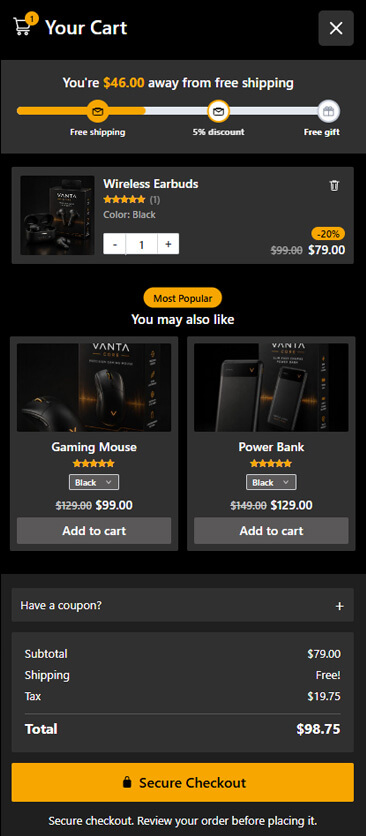
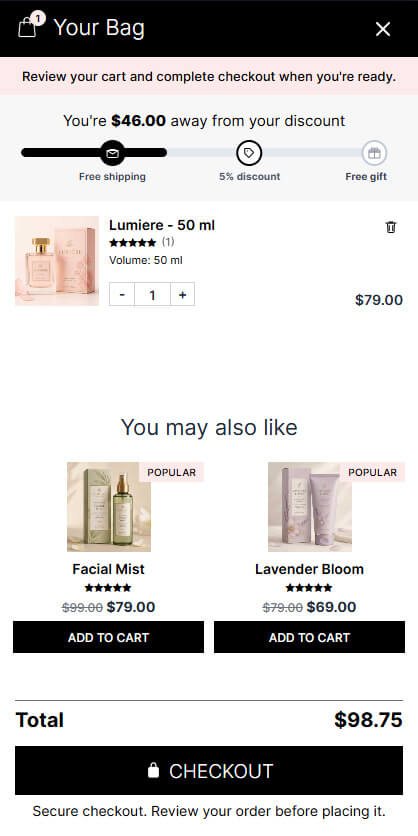
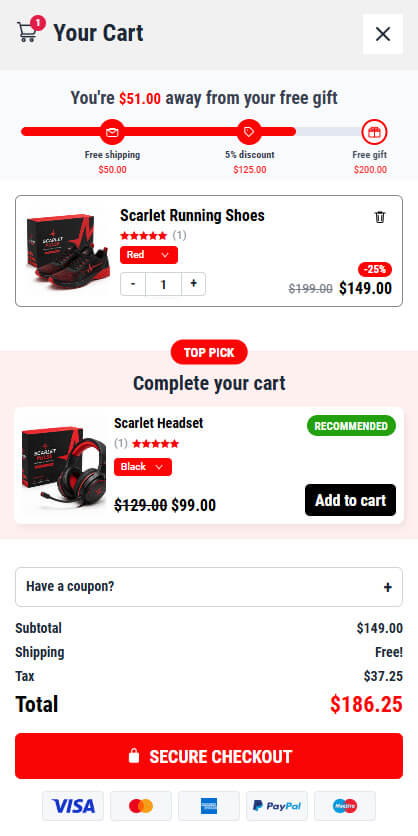
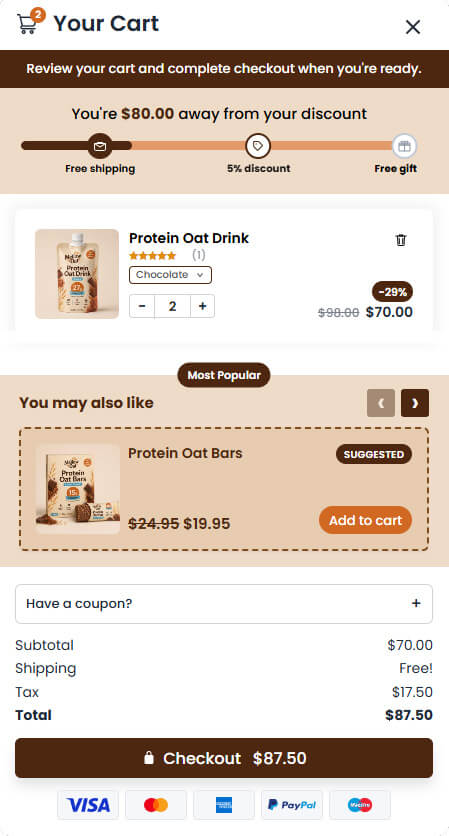
Start with a preset
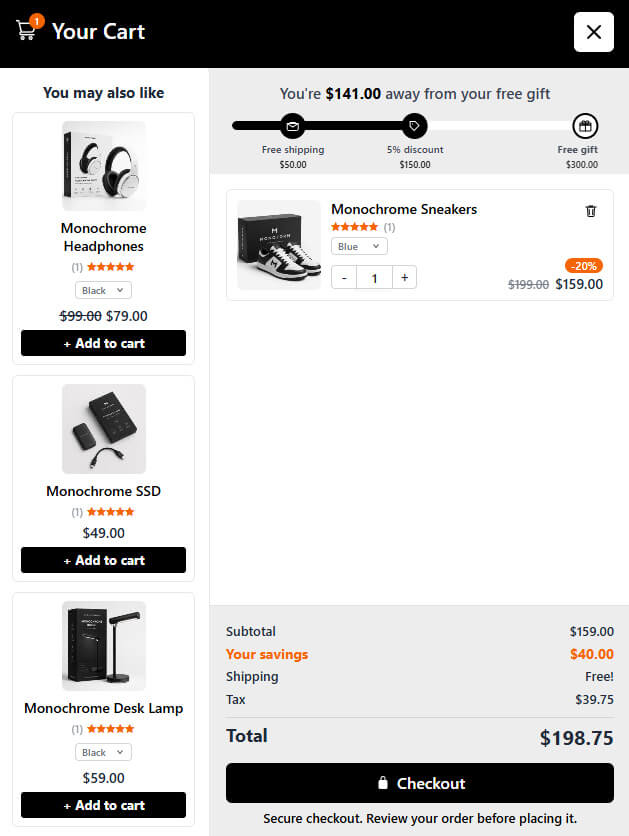
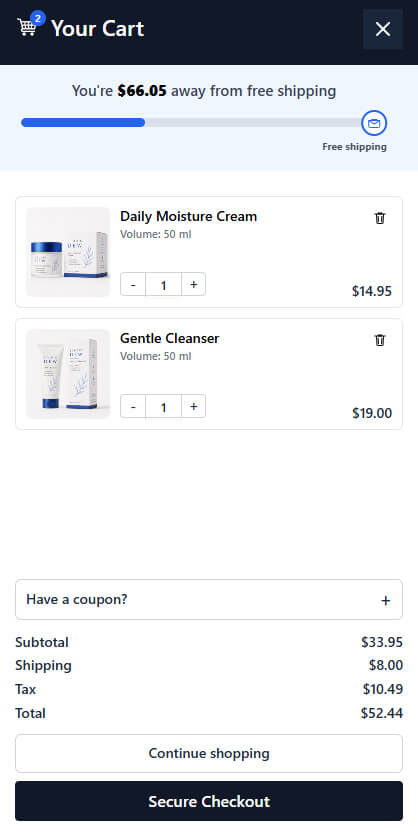
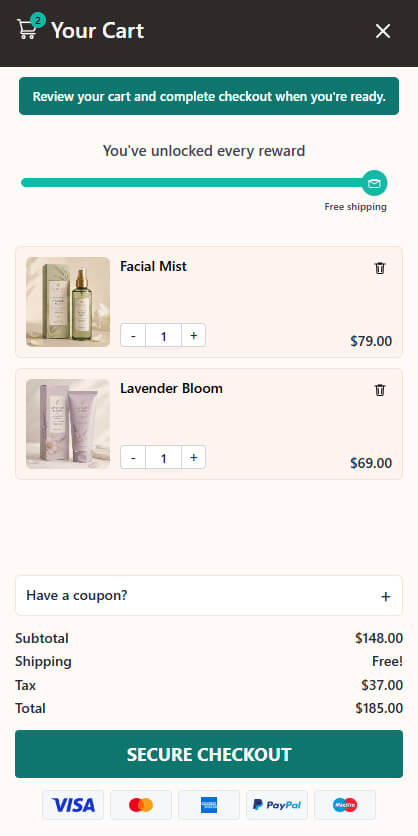
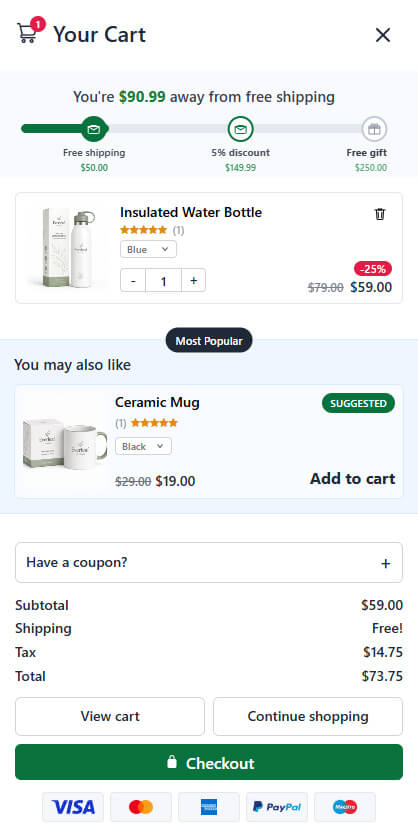
Start With a Drawer Cart Design That Fits Your Store
DrawerCart Pro includes ready-made drawer cart presets for different store styles, so you can start with a polished design and customize it to match your brand.
More Cart Features Built for WooCommerce
DrawerCart Pro includes the extra details that make your drawer cart more flexible, more helpful, and easier to match with your store’s checkout flow.
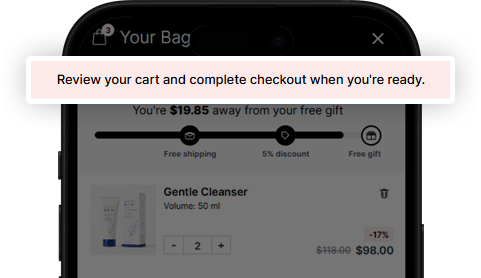
Notice bar
Display custom messages, promotions, reminders, or countdowns at the top of the drawer.
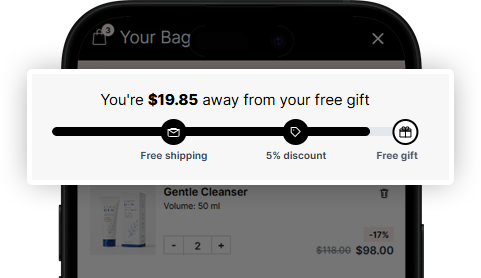
Rewards
Show progress toward free shipping, discounts, or free gifts to encourage larger orders.
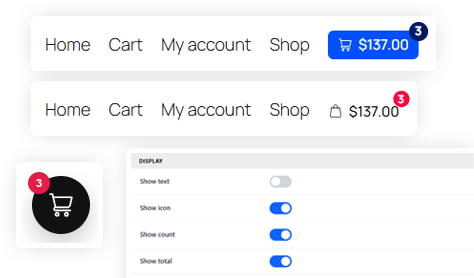
Cart triggers
Let customers open the cart from a floating button, menu cart, or custom trigger.
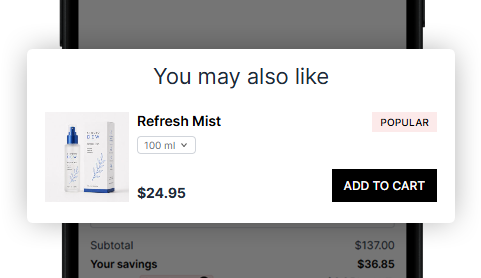
Upsells
Promote recommended products inside the cart to increase product discovery and order value.
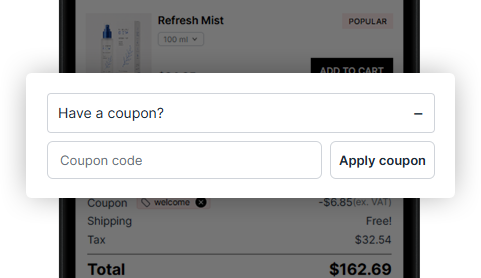
Coupon
Allow customers to apply discount codes directly inside the drawer without leaving the page.
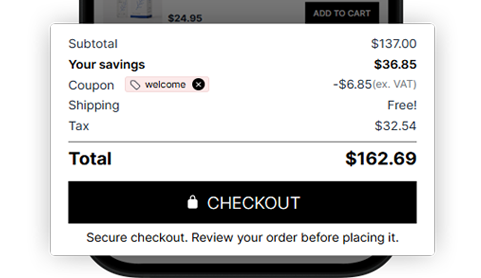
Summary
Show subtotal, savings, shipping, tax, coupons, and total in a clear checkout summary.
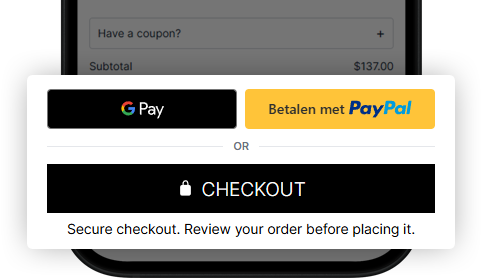
Express checkout
Display supported express checkout options for a faster path from cart to payment.
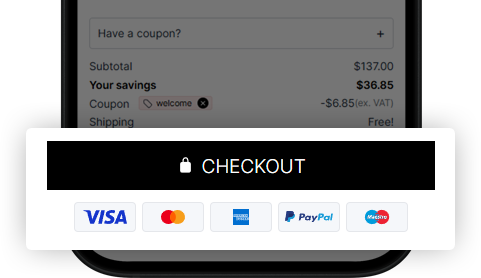
Payment badges
Add payment icons or trust badges near checkout to make the final step feel more reassuring.
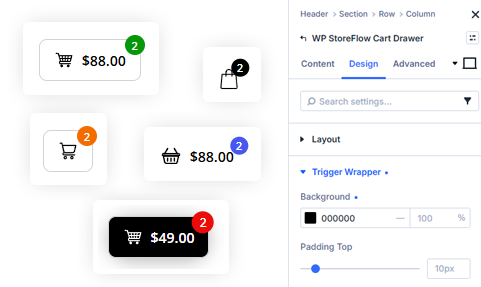
Divi 5 module
Place and style cart triggers inside Divi layouts with a dedicated Divi 5 module.
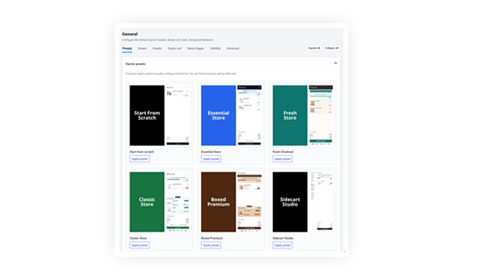
Presets
Display supported express checkout options for a faster path from cart to payment.
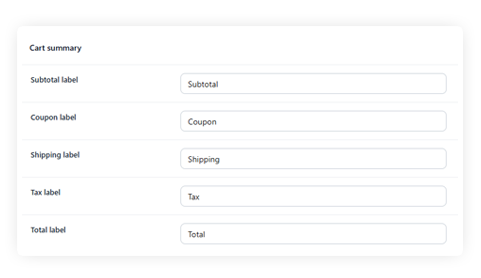
Labels & messages
Customize cart labels, button text, notices, and messages so the drawer matches your store’s language, tone, and checkout flow.
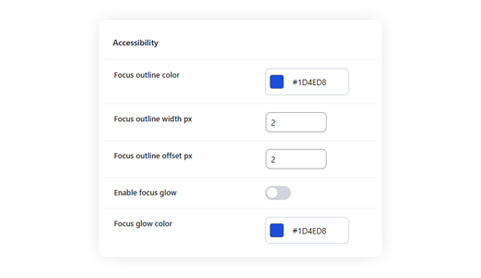
Accessibility
Edit user-facing cart text for translations, custom wording, and a checkout experience that feels natural for your store.
Simple Pricing for Every WooCommerce Store
Choose the license that fits your store, project, or client work. Every plan includes the full DrawerCart Pro feature set, updates, and support.
Single Store
Perfect for upgrading one WooCommerce store with a modern, customizable drawer cart.
$59
$29
/ year
1 site license
Renews at $29
General
- Use on 1 site
- 1 year of updates
- 1 year of support
- 14-day money-back guarantee
Most Popular
Professional
Built for freelancers, creators, and store owners managing multiple WooCommerce websites.
$129
$79
/ year
5 site licenses
Renews at $79
General
- Use on up to 5 sites
- 1 year of updates
- 1 year of support
- 14-day money-back guarantee
Agency
Made for agencies and developers building WooCommerce stores for clients at scale.
$299
$199
/ year
50 site licenses
Renews at $199
General
- Use on up to 50 sites
- 1 year of updates
- 1 year of support
- 14-day money-back guarantee
Single Store
Perfect for upgrading one WooCommerce store with a modern, customizable drawer cart.
$149
$79
/ one time payment
1 site license
You save $70
General
- Use on 1 site
- Lifetime updates
- Lifetime support
- 14-day money-back guarantee
Most Popular
Professional
Built for freelancers, creators, and store owners managing multiple WooCommerce websites.
$299
$199
/ one time payment
5 site licenses
You save $100
General
- Use on up to 5 sites
- Lifetime updates
- Lifetime support
- 14-day money-back guarantee
Agency
Made for agencies and developers building WooCommerce stores for clients at scale.
$699
$499
/ one time payment
50 site licenses
You save $200
General
- Use on up to 50 sites
- Lifetime updates
- Lifetime support
- 14-day money-back guarantee
Every plan includes the full DrawerCart Pro experience
Cart
- Floating cart
- Product cards
- 9 Presets
Promotions
- Rewards
- Recommended products
- Coupons
- Cart notice
Checkout
- Summary & checkout
- Express checkout
- Payment badges
Content
- Labels & messages
Page builders
- Divi 5 cart module


14-Day Money Back Guarantee
Use DrawerCart Pro on your WooCommerce store and see if it fits your workflow. If it is not the right solution, you can request a refund within 14 days of purchase.
Founder of WP StoreFlow
All pricing is in USD. You can change plans or cancel your account at any time.

Frequently Asked Questions
Everything you need to know about DrawerCart Pro, from WooCommerce compatibility and customization options to licenses, support, and refunds.
What is DrawerCart Pro?
DrawerCart Pro is a WooCommerce drawer cart plugin that adds a modern slide-in cart to your store. Customers can review products, update quantities, apply coupons, see rewards, and continue to checkout without leaving the shopping flow.
Do I need coding knowledge to use it?
No. WP DrawerCart Pro includes ready-made presets, design controls, and customizable settings so you can create a professional drawer cart without writing code.
Does it include ready-made presets?
Yes. DrawerCart Pro includes professionally designed cart presets so you can start with a polished design and adjust it to fit your brand.
Can I show recommended products in the cart?
Yes. DrawerCart Pro lets you display recommended products, upsells, or cross-sells inside the drawer cart to help customers discover more products before checkout.
Does it work on mobile?
Yes. DrawerCart Pro is designed for desktop and mobile shopping experiences, so customers can access and use the drawer cart on different screen sizes.
What is included with my license?
Each license includes the full DrawerCart Pro feature set, updates, and support for the number of sites included in your plan.
Single Store includes 1 site, Professional includes up to 5 sites, and Agency includes up to 50 sites.
Does DrawerCart Pro work with WooCommerce?
Yes. DrawerCart Pro is built specifically for WooCommerce stores and is designed to improve the cart experience with a customizable drawer cart.
Can I customize the drawer cart design?
Yes. You can customize colors, spacing, buttons, product boxes, labels, messages, notices, rewards, checkout areas, and more to match your store’s design.
Does it support free shipping rewards?
Yes. You can show cart rewards such as free shipping, discounts, and free gifts to encourage customers to add more to their cart.
Can customers apply coupons inside the drawer?
Yes. You can display a coupon field inside the drawer so customers can apply discount codes without leaving the cart experience.
Does DrawerCart Pro work with Divi?
Yes. DrawerCart Pro includes Divi 5 module support, making it easier to place and style cart triggers inside your Divi layouts.
Do you offer a money-back guarantee?
Yes. DrawerCart Pro comes with a 14-day money-back guarantee. If it is not the right fit for your WooCommerce store, you can request a refund within 14 days of purchase.